
Key Takeaways
- Dropdown menus should be intuitive and touch-friendly to enhance mobile usability.
- Implementing clear visual indicators and adequate spacing improves user interaction.
- Testing across various devices ensures consistent performance and accessibility.
Table of Contents
- Introduction
- Importance of Mobile-Friendly Dropdowns
- Best Practices for Designing Mobile Dropdown Menus
- Common Mistakes to Avoid
- Testing and Optimization
- Conclusion
Introduction
Dropdown menus play a crucial role in mobile web navigation. They provide quick and easy access to different sections of a website or app, bridging the gap between functionality and streamlined design. As more users access websites on smaller devices, a well-designed mobile dropdown menu can improve the overall browsing experience and encourage them to explore more of your content.
When mobile dropdowns are intuitive, users can move effortlessly through a site, finding what they need in fewer taps. If the menu is confusing or hard to use, visitors may quickly leave in search of a better experience elsewhere. Prioritizing clear visuals, easy touch targets, and responsive behavior can set successful mobile experiences apart from frustrating ones.
Since great dropdowns create a smoother path through your app or site, they also support conversions, sign-ups, and return visits on mobile, where every second counts. Your navigation should never stand in the way of users' goals. Making dropdowns clear and accessible is about removing obstacles, not adding steps.
According to research published by Smashing Magazine, mobile users are particularly sensitive to navigation issues, which can severely impact user retention and satisfaction.
Importance of Mobile-Friendly Dropdowns
The continued rise of mobile internet usage has changed the standards for website navigation. Unlike desktop devices, smartphones and tablets rely on touch. This means dropdown menus must be built with fingers in mind rather than precise mouse clicks. According to a study cited by Webstacks, 57% of users are unlikely to recommend businesses with a poorly designed mobile site, underscoring the importance of dropdown navigation functioning smoothly on small screens.
Mobile-friendly dropdowns not only enhance user satisfaction but also contribute to higher engagement and lower bounce rates. Since navigation is a big part of the first impression, ensuring dropdowns are responsive and easy to use helps keep users on-site longer.
Best Practices for Designing Mobile Dropdown Menus
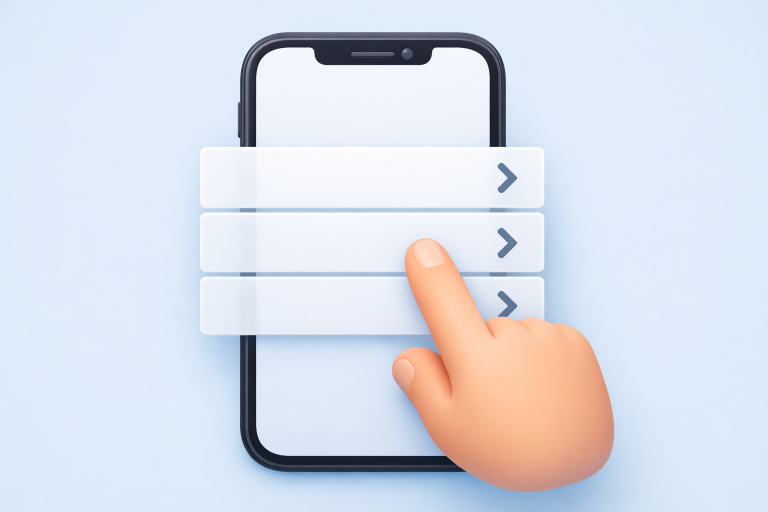
- Touch-Friendly Design: Every menu item should be large enough to tap comfortably, with enough spacing to avoid accidental selections. A study by the Nielsen Norman Group found that tap targets of at least 48x48 pixels significantly reduce touch errors.
- Clear Visual Indicators: Use arrows, chevrons, or plus icons to signal which menu items can be expanded. These cues guide users and reduce confusion, making navigation feel intuitive.
- Responsive Behavior: Menus must resize and reorganize themselves based on different screen widths and orientations. Using flexible layouts and frameworks ensures that dropdowns work equally well on smartphones and tablets.
- Minimalist Approach: Keep menu structures shallow and focus on essential links. Overcrowding the dropdown can lead to decision fatigue and complicate navigation. A streamlined menu makes it easier for users to focus on what matters.
Following these practices ensures that mobile dropdown menus are both functional and user-friendly. This not only helps with user engagement but is also likely to positively impact search rankings since usability is an important factor in modern SEO strategies.
Common Mistakes to Avoid
- Overly Complex Menus: Deep or multi-level nested menus may make sense on desktops but are challenging to manage on touchscreens. Keeping navigation shallow and straightforward prevents users from getting lost.
- Inadequate Spacing: If menu items are too close together, the chances of accidental taps rise sharply. Generous padding and clear separation between items improve accuracy and overall navigation comfort.
- Lack of Testing: Neglecting to test dropdowns in real-world scenarios can leave design flaws undetected. What works in a browser simulator may not translate to every phone or tablet, making on-device testing essential.
Eliminating these errors helps avoid major usability pitfalls and encourages users to stay engaged with your site. Keeping things simple and thoroughly tested is the most reliable approach to mobile navigation.
Testing and Optimization
Extensive testing is a crucial step for mobile dropdown menus. Begin with browser tools to simulate different environments, but always include hands-on testing with actual devices. Screen size, touch responsiveness, and orientation may reveal issues invisible on desktop or in emulators.
Consider incorporating feedback from real users, as their experience may highlight pain points that developers and designers miss. Accessible solutions, such as screen readers and larger font settings, should also be evaluated. This way, the dropdown remains usable for people with varying abilities and preferences.
Optimizing dropdown performance is not just about making it look good but about measuring how it responds under different conditions. Pay attention to menu load speed, touch responsiveness, and visual clarity in both light and dark modes. Incrementally refining the design using user session recordings or heatmaps can also uncover areas for improvement. Platforms like CNN Tech have covered why digital accessibility and thorough device testing benefit all users.
Conclusion
In today’s mobile-first landscape, designing effective dropdown menus is a vital component of delivering an excellent user experience. Prioritizing touch-friendly interactions, clear visual cues, and rigorous testing ensures that navigation remains smooth, accessible, and enjoyable for everyone. By avoiding complexity and focusing on what users really need, you lay a solid foundation that supports your site’s goals and helps retain visitors. The time and effort invested in crafting intuitive mobile dropdowns pay off in user loyalty and greater business results.